I was the product designer behind Beck’s interactive display experiences—from the UI and content structure to touch interactions and BrightAuthor programming. I worked with leadership and internal stakeholders to turn company stories, agricultural information, and facility-tour presentations into experiences people could explore on screen.
My role
Product design · UI · Interaction BrightAuthor development & management
In collaboration with
Leadership & internal stakeholders Content and presentation partners
From a touch at the podium to a story shared across the room.Original project footage · 02:08
01 / Structure the content Goals → navigation
Make the company’s story navigable.
For the facility tours, I worked with leadership and internal stakeholders to shape interactive presentations around the material they needed to communicate. I connected those goals to the choices a presenter could make and the content a group would see.
Across the displays, that meant giving photographs, history, technical information, and films a structure people could explore. The station outlines show how the content was broken into topics, thumbnail groups, and individual screens.
An example / Seed Treatments
Topics first. Detail within reach.
The outline separates the home screen from three subject areas. Within a subject, it specifies the heading, copy, and image for each slide, then groups those slides behind thumbnails.
Those content groups became the navigation: choose a topic, then browse its stories.
Content plan → navigation
Seed Treatments Home screen
History of Innovation
Values and Benefits
Testimonials
Within each subject
Thumbnail group → Slide
Subheader
The story’s title or date
Body
The supporting explanation
Media
A named photo asset
Structure redrawn from SeedTreatmentsOutline.docx.
02 / Design the interface Navigation → screens
A familiar way to explore.
I translated the content structure into a consistent set of controls: topic navigation, media thumbnails, previous/next buttons, and a way home. The same browsing patterns carried across different exhibit subjects and screen formats.
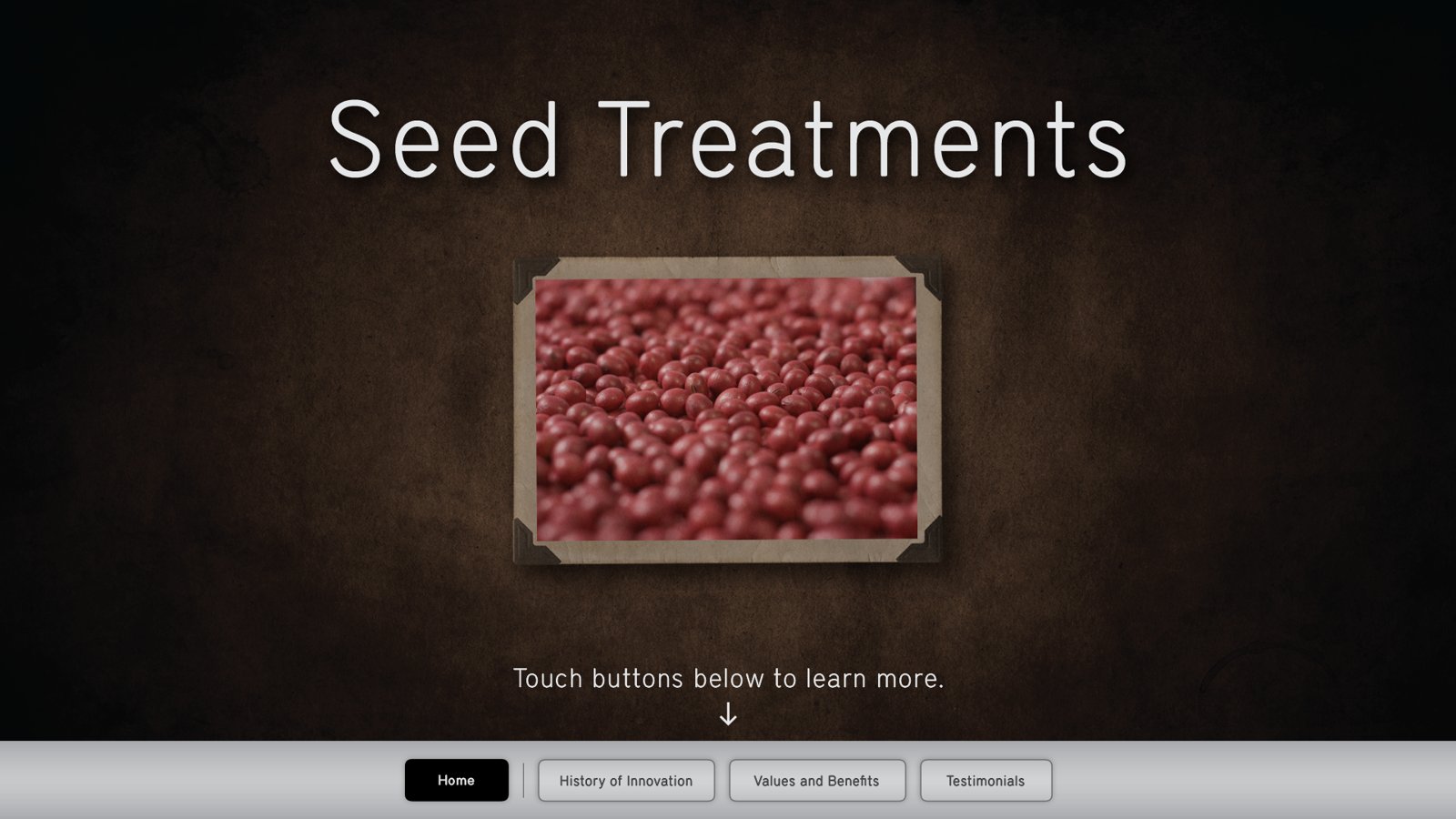
The Seed Treatments home screen makes that relationship visible. Its bottom navigation follows the subjects in the outline, while the Photoshop file separates page content from navigation and selection states.
Original UI artwork · rendered from SeedTreatmentsTemplate.psd.
Try the interaction
Small choices. A story unfolds.
Explore a selected path through three experiences. Tap a highlighted control on the artwork, or use the buttons below it.
Artwork could not load. Try another experience or reload the page.
The UI defined the visible choices. Each choice also needed a destination, a playback sequence, and a way back.
03 / Program the behavior Screens → interactions
Make every choice work.
I built the interaction logic in BrightAuthor, connecting the artwork to media states and the events that moved between them. A touch could open a story; the end of a film could return to the selection screen.
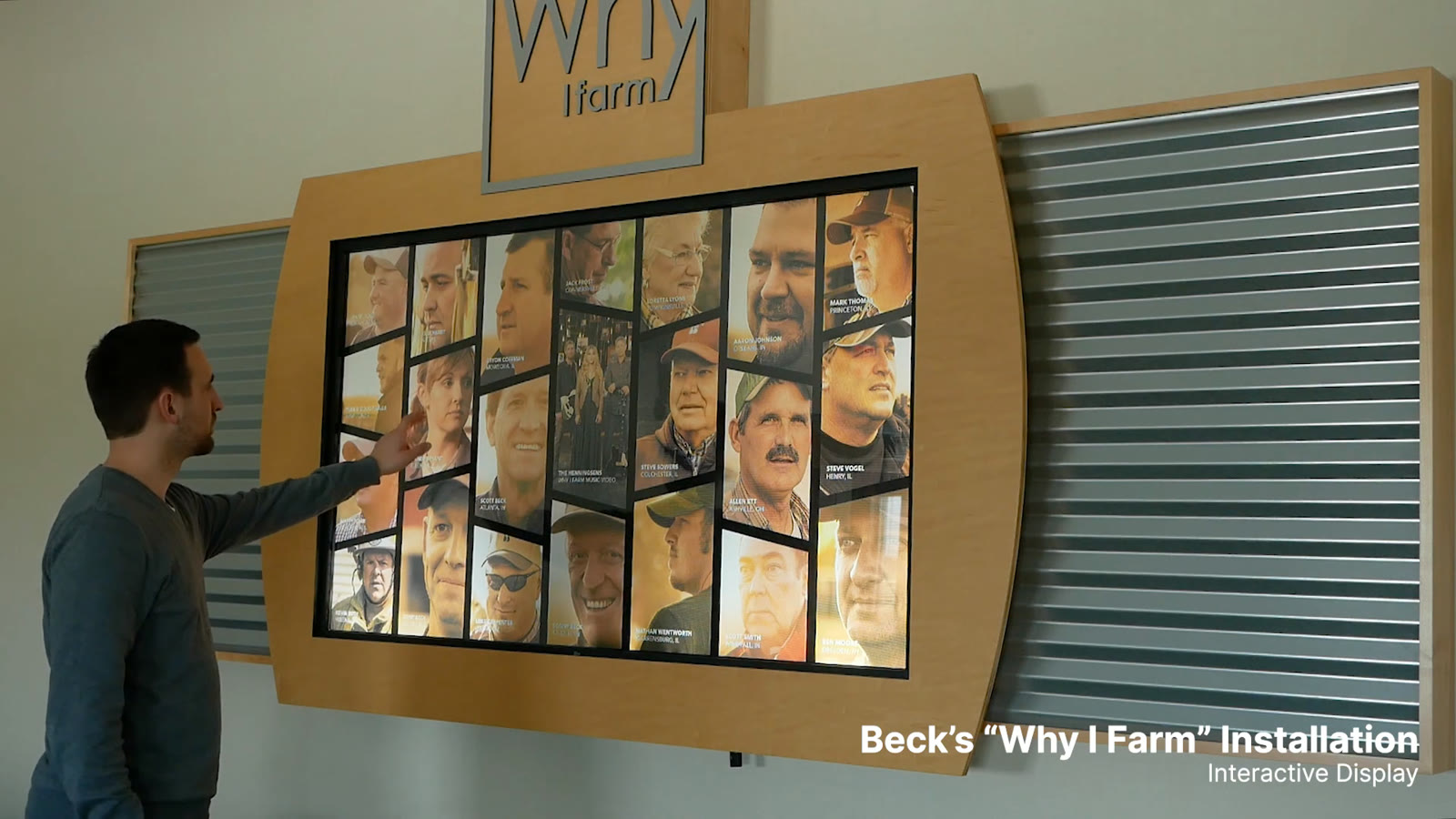
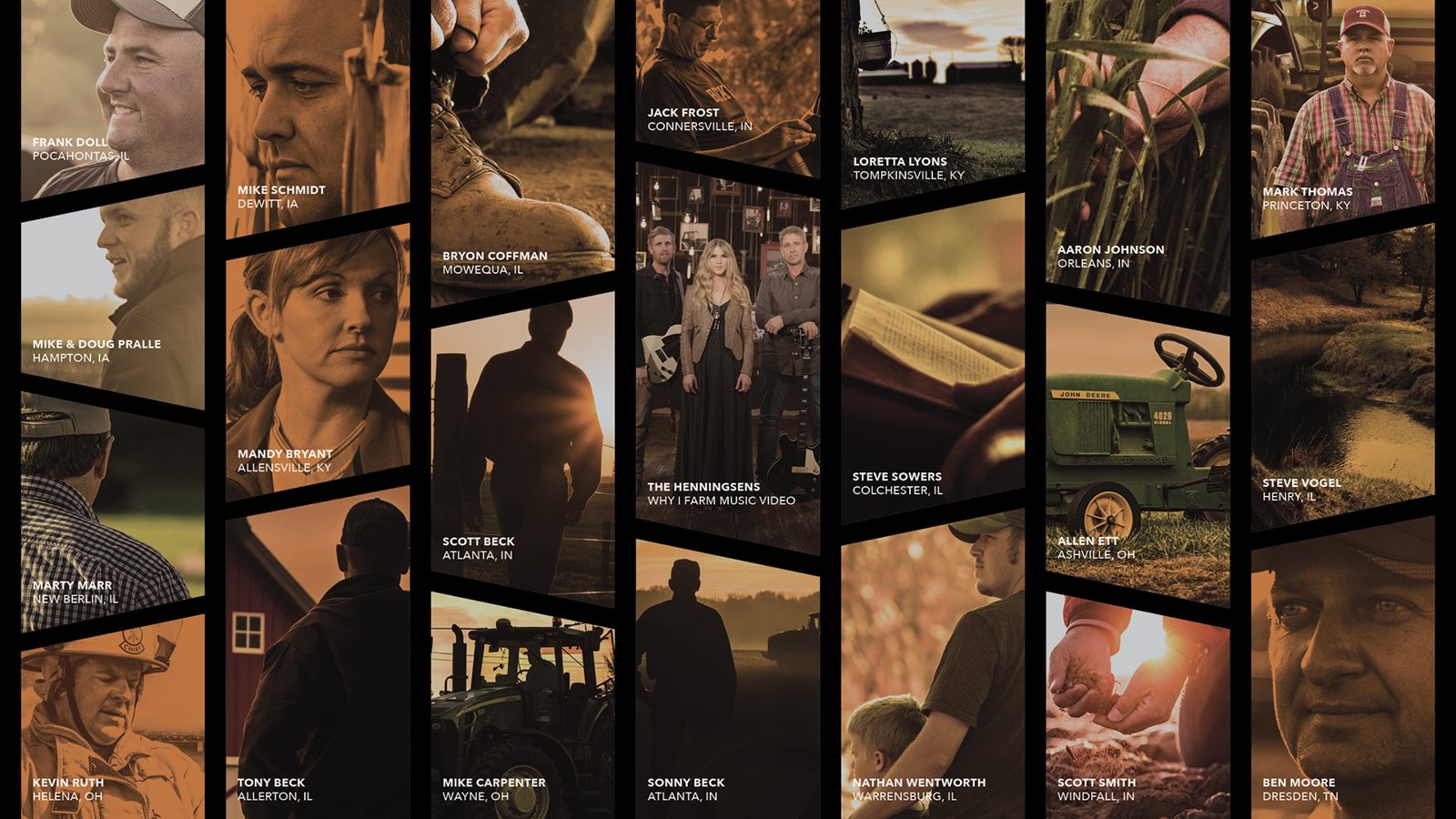
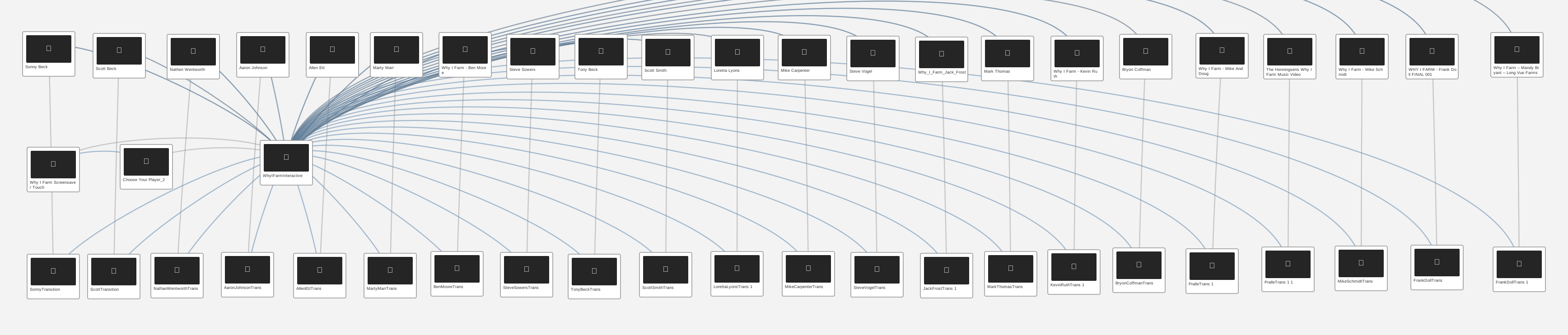
For Why I Farm, the portrait gallery was the interface. I connected each person’s image to a rectangular touch region and a story sequence. Reveal the saved touch regions below to see how the artwork became an input surface.
Totals describe media states and event connections in the saved projects, not unique screen designs or visitor metrics.
Explore the BrightAuthor filesFull connection maps and a focused test configuration
A focused test configuration
Three states. Six connections.
The archived FarmHouse test file connects two composites and a menu animation. Six UDP events—network messages—switch between them. It is a compact example of the state-and-event logic behind the displays.
Recreated from test.bpf. Each two-way line represents two saved events. The file’s date and place in the development sequence are unverified.
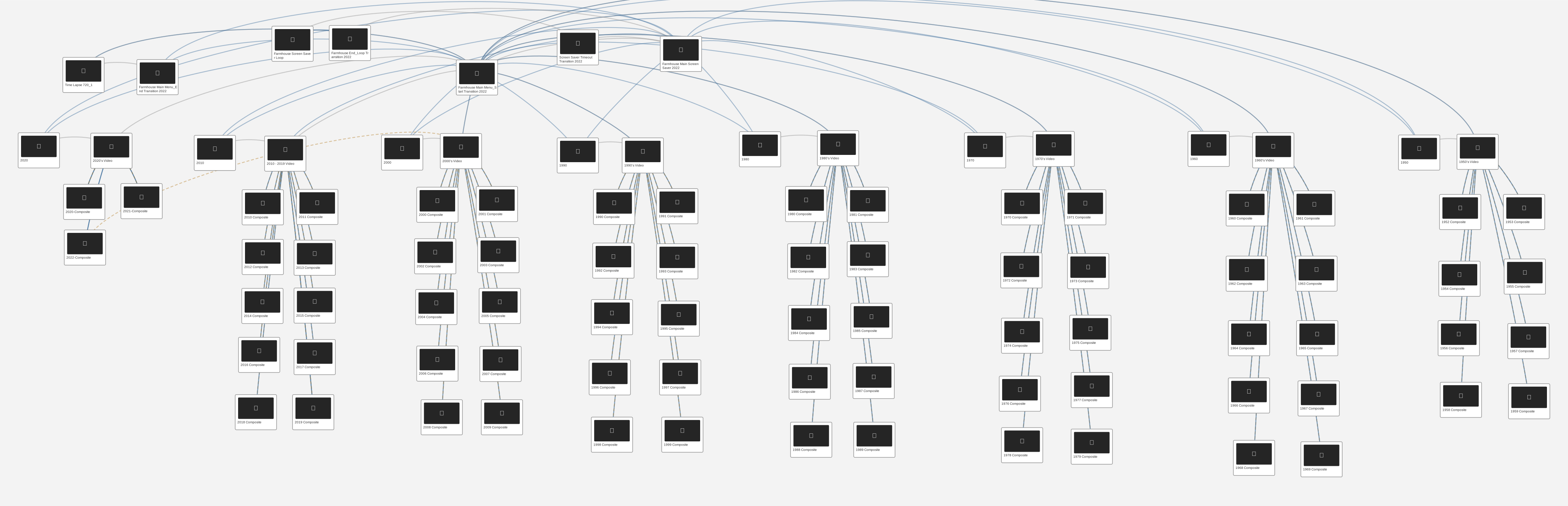
Scroll to explore the full map →All 94 media states and 266 transitions. Blue: touch. Gray: media end. Dashed amber: timeout. Counts describe these saved configurations, not unique screens or measured visitor activity. Recreated from the saved project.
04 / Bring it into the room Interactions → installed use
One body of work. Different ways to engage.
The content, UI, and interaction logic came together in physical displays. Some supported a presenter guiding a room; others let visitors choose a subject, a person, or a point in history. The footage shows those choices working in context.
Facility tours Presenter-led exploration
Guide a room, one topic at a time.
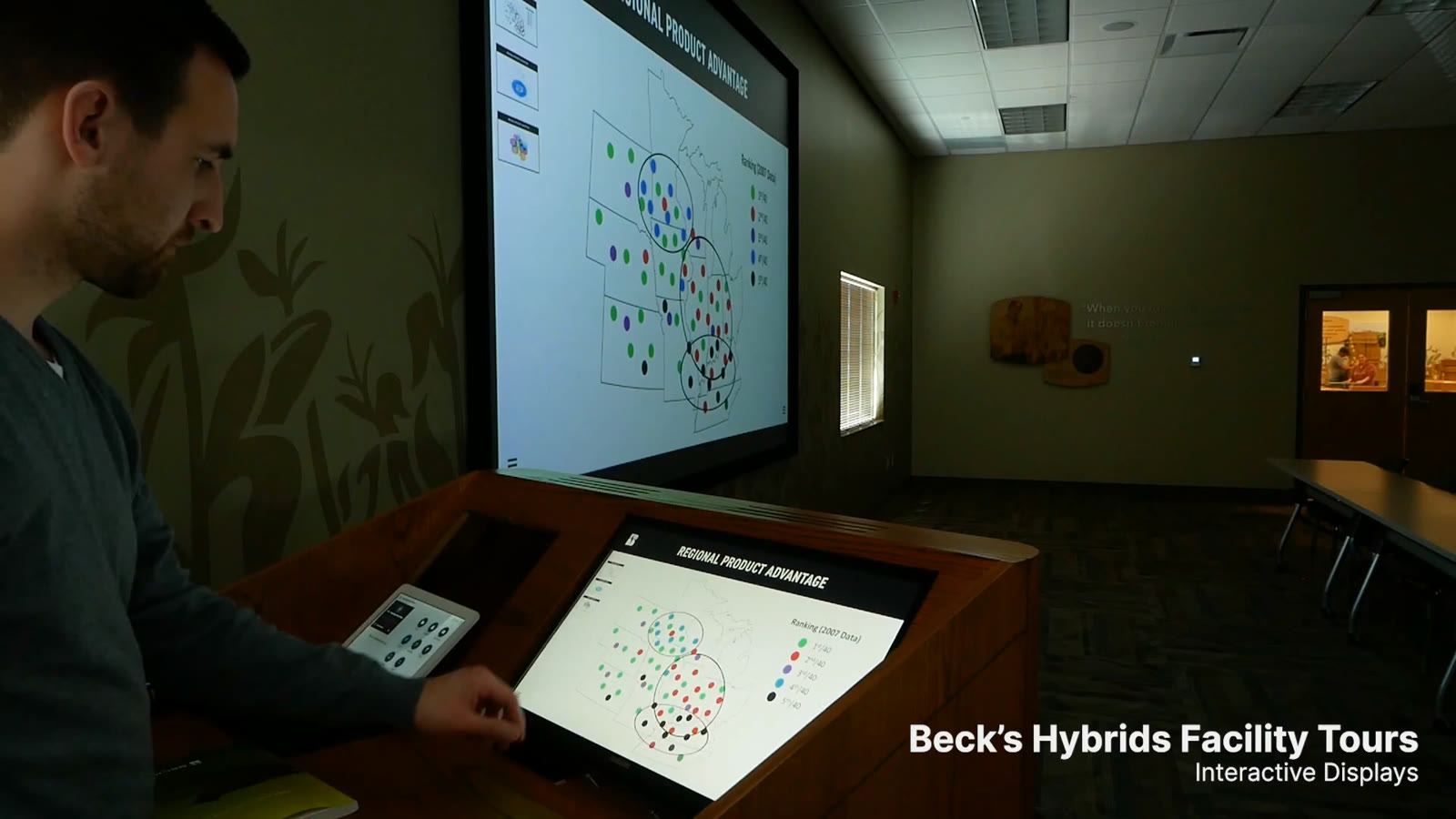
The presenter could select maps, charts, product information, and video at the podium while the room followed on the large display. Topic menus and in-topic thumbnails supported movement beyond a fixed slide sequence.
Choose a topic at the podium. Share the same content with the room.Muted loop · 00:51–01:01
Experience Center Visitor-led exploration
Explore different subjects with familiar controls.
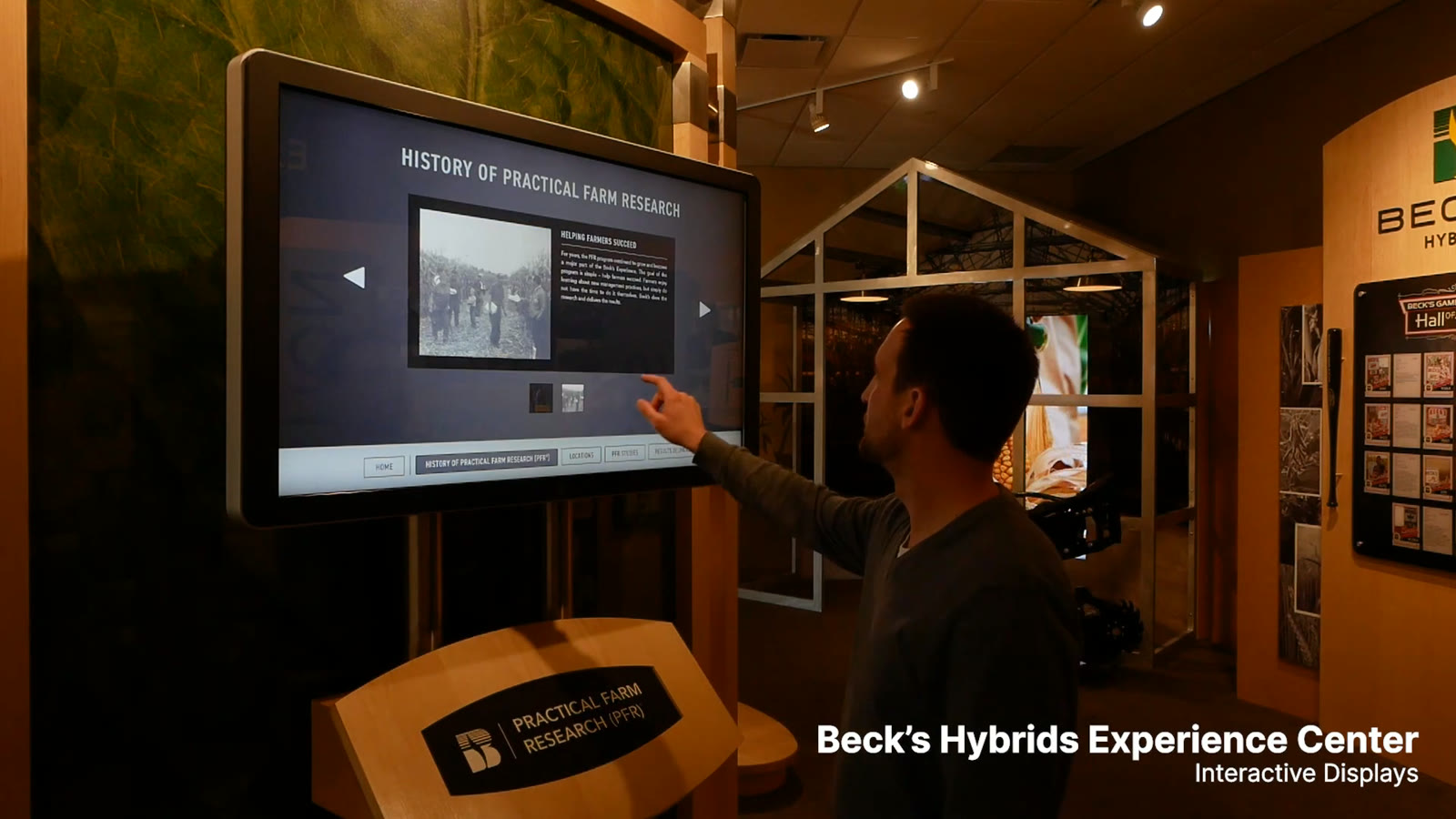
The topic-and-thumbnail structure supported research, seed treatments, agricultural processes, and company history. The loops show the browsing patterns from the design files operating on wall-mounted, angled, and portrait displays.
Research & historyTopic navigation, thumbnails, and previous / next.Muted loop · 00:00–00:09Seed treatmentsA history of innovation, organized into dated stories.Muted loop · 00:10–00:21Agricultural processesStill images and video within one browsing experience.Muted loop · 00:21–00:36Giving backThe content pattern adapts to a portrait display.Muted loop · 00:36–00:45
Why I Farm Personal stories
Choose a person. Let their story take over.
The portrait artwork and touch regions become a simple invitation on the wall: select a person, then watch their film. Here is the interaction sequence from the programming chapter in its physical setting.
Touch a portrait to select a story.Muted loop · 01:16–01:25The interface gives way to the farmer’s film.Muted loop · 01:34–01:43
Purdue FarmHouse A browsable archive
Find a decade, choose a year, explore the photograph.
The archive uses a different hierarchy, with return controls on either side of the composite. The saved program also contains timed returns and a later version with composites through 2022.
Browse by decade, then select a year.Muted loop · 01:54–02:02Read the composite, with a return control on either side.Muted loop · 01:47–01:54
From what needed to be said to an experience people could use.
My role connected leadership and stakeholder goals, content structure, visual design, and technical implementation. The result was a family of working displays that supported guided presentations, self-directed learning, personal stories, and historical exploration.
Shown through original artwork, archived design and BrightAuthor files, and demonstration footage uploaded in April 2023. Diagrams are labeled reconstructions. The chapters explain the work’s development; they do not establish a dated sequence of concepts or installations.