Framer
From first-time Framer user to a published tutorial in one week.
I had never used Framer when they reached out. After committing to the project, I learned the product, built a link-in-bio website from scratch, and published a 50-minute tutorial in one week. My Figma background helped me get started.
Learning the product
Use what I knew. Learn what the project needed.
My starting point was experience in Figma and years of teaching design software. Framer itself was new to me. That background helped me find my footing, but I still had to learn the product well enough to build with it and explain it to someone else.
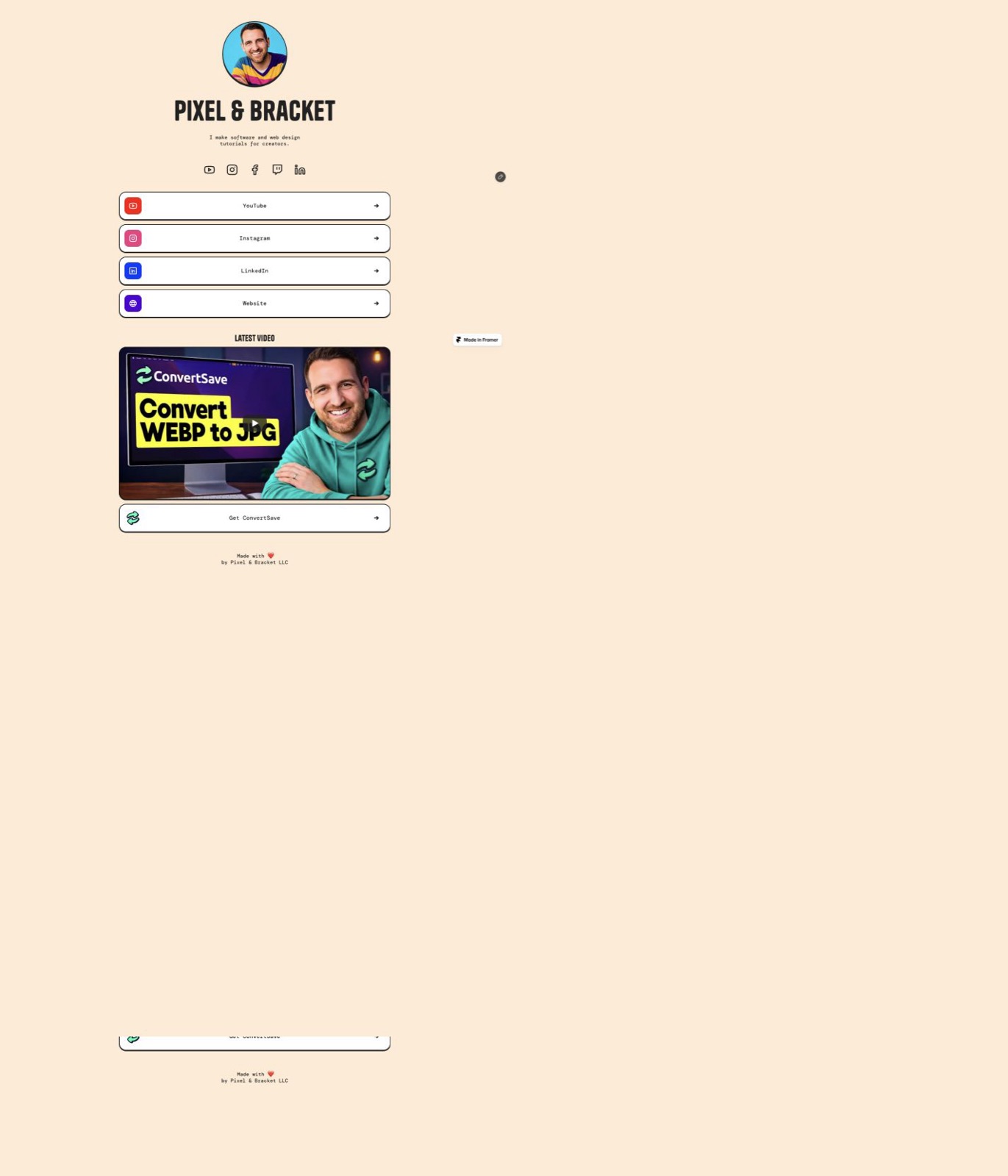
The project gave that learning a concrete goal: a link-in-bio website for Pixel & Bracket. A profile, social links, reusable buttons, and a featured video made it a focused project with enough depth to teach layout, components, interactions, and responsive behavior.
Building the website
A small page with real design decisions.
I built the page from a blank canvas. The tutorial moves from stacks, gap, and padding into a profile section and social icons, then into reusable link buttons with nested stacks and component variables.
Those buttons carry more than a label. I show how to change their text and icons, create hover and pressed states, and reuse instances across the page. The lesson connects component structure to the practical work of updating several links.
I then add an embedded YouTube video, fix mobile responsiveness and scaling, and publish the site. The finished page brings those decisions together in a live website people can explore.
Producing the lesson
Make the build understandable to someone starting fresh.
Learning the product was one part of the work. I also had to turn the build into a complete instructional video: explain the interface, introduce concepts in order, demonstrate the steps, and carry the viewer through to publication.
The sequence makes that progression visible. I introduce components and variables before building the reusable button, add interaction states before duplicating it, and address mobile behavior before publishing. Each step gives the next one context.
Being new to Framer put me close to the viewer’s starting point. My teaching experience helped me turn that learning into a lesson someone else could follow. Within one week of committing, the website and the 50-minute educational video were complete and the video was published.
The outcome
Learn it, build it, teach it, publish it.
The tutorial was published on May 19, 2026 as a sponsored Framer partnership. The result is a complete lesson and a live link-in-bio website, with the work available to watch and explore.
For me, this project shows how quickly I can apply an existing design background to unfamiliar software, work through a real build, and communicate the process. I owned the work from learning the tool through producing and publishing the instructional video.
What I bring
Learning that turns into something others can use.
- Adaptability
- I can bring existing design experience into an unfamiliar tool and turn the learning into a finished project.
- Instructional design
- I can break a complete build into a sequence that introduces concepts, demonstrates decisions, and takes someone through to publication.
- Ownership
- I carried the website and video from a new commitment to a published lesson in one week.