ConvertSave
File conversion on your desktop.
ConvertSave is a Mac and Windows app for converting files locally. I co-founded it with my brother and lead the product design.
The project
Convert files without uploading them to a website.
ConvertSave is a desktop app for Mac and Windows that changes files from one format to another. Someone might need a JPEG instead of a WebP image, or an audio file extracted from a video. The conversion runs on their own computer, so the files do not need to be uploaded to an online converter.
The goal is to make those tasks available through one understandable interface. The software doing the conversion underneath can be complicated; the person using the app should be able to focus on the file they need.
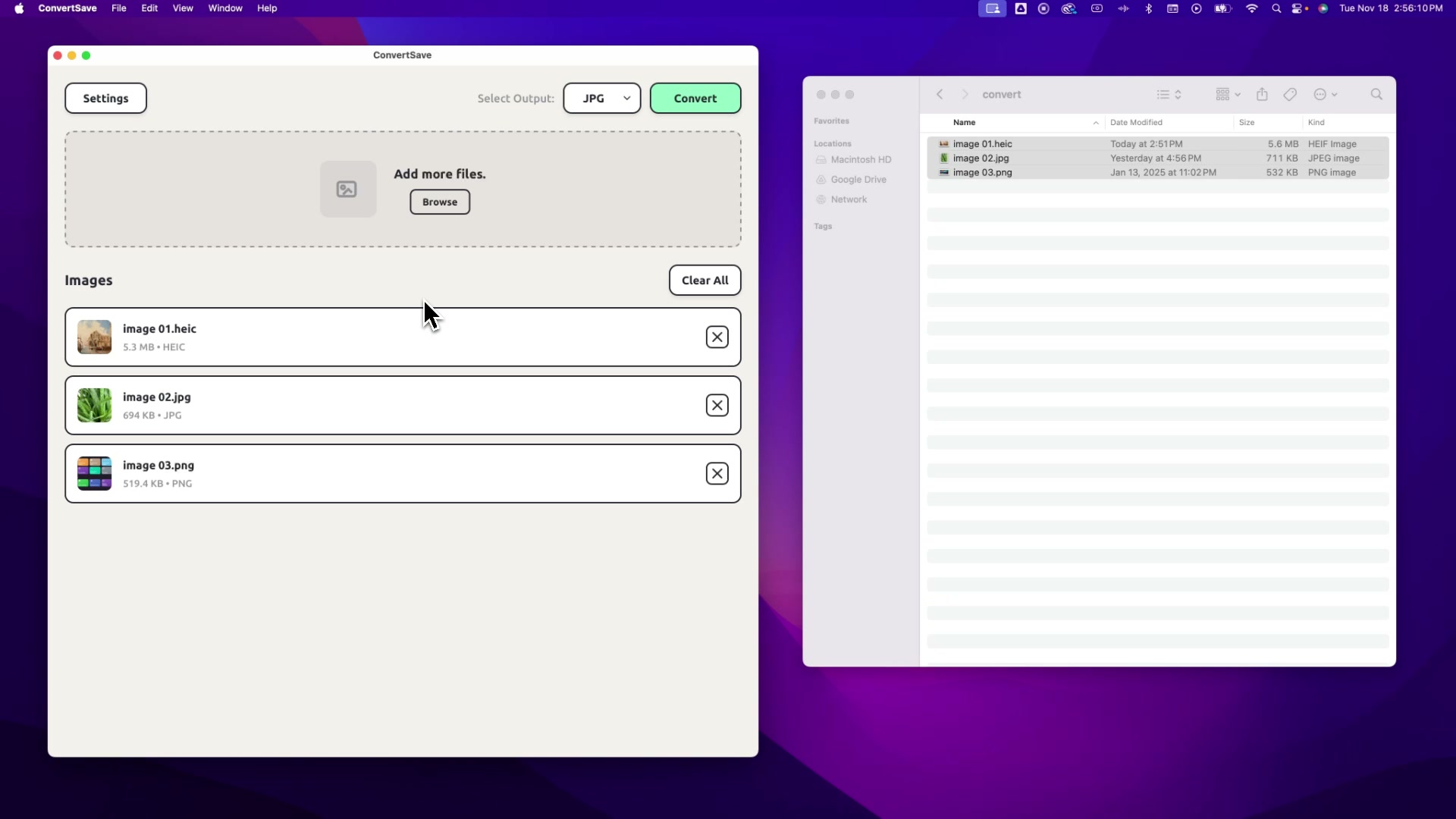
- Add files. Drag files into the app, individually or in a batch.
- Choose the result. Select an output format and any settings needed for the conversion.
- Convert and save. Run the job, check its progress, and use the finished files.
My role
Building a product with my brother.
I co-founded ConvertSave with my brother Hunter. I lead product design; he leads software development. We work together on feature planning, troubleshooting, and customer support.
My software-tutorial work gave me a starting point: I already spent time explaining conversion tasks and the choices people encounter. My role was to turn those tasks into a product people could install, understand, and use. That included the app interface, first-time setup, website, account flows, and the messages people receive after signing up.
How we built it
From interface designs to working versions.
In late 2025, I worked on screen designs and onboarding copy while testing development builds with Hunter. I also mapped what should happen when someone starts a trial, purchases a license, cancels, or returns after a subscription ends. The app and website needed to tell the same story about access.
Testing made my design feedback more specific. When a conversion failed, I asked for copyable error logs and reproduced the underlying commands in Terminal, the Mac’s command-line app. Isolating a failure gave Hunter a more useful report than saying the interface did not work.
By spring 2026, I was also using AI coding tools to build interface experiments and try changes in running Mac and Windows development builds. Those prototypes helped me judge behavior and discuss implementation with Hunter. They were a way to explore the product; each experiment was not automatically a released feature.
Decision 01
Give the first release a smaller job.
The larger idea could support many kinds of conversion and advanced settings. In October and November 2025, I pushed the initial scope toward batch image conversion: add a group of images, choose a format, and finish.
That reduced the number of variables we had to get right at once and gave us a task I could explain through tutorials. We could work toward a usable release and learn from it before expanding the product.
Decision 02
Keep editing controls beside the file.
As we explored basic image adjustments, a separate editing workspace would have added a detour: leave the file queue, edit an image, then return to convert it. The queue is the list of files waiting to be processed.
I pushed toward a panel that opens beside the selected file. Someone who only needs conversion can continue directly; someone who needs an adjustment can make it without leaving the queue. This direction was implemented in an April 2026 development version.
Explored
A separate workspace
- Start in the queue
- Switch to an editor
- Return to the queue
A change of context at each step.
Chosen direction
An inline panel
- Select a file in the queue
- Adjust it in place
- Continue converting
The file stays at the center of the task.
The early product image above predates that work. The diagram explains the alternatives we considered.
Decision 03
Add a step when it prevents a confusing account state.
At first, I wanted as few steps as possible between signup and conversion. Testing changed my view. Repeat trials could create duplicate customer records, and the website and app could disagree about whether someone had access.
I mapped those situations and supported verifying an email address before starting a trial. I also specified a purchase route for someone who had already used their trial. That adds friction at signup, but gives us a clearer basis for explaining access and helping someone recover when it goes wrong.
Result & reflection
A commercial app and an ongoing product practice.
ConvertSave became a commercial desktop product for Mac and Windows. My work continued beyond the conversion screen into setup, accounts, testing, and support. Each of those can determine whether someone completes the task they came for.
The biggest change in my own process was moving closer to the working software. Designing a screen, using it, and tracing a failure gave me different kinds of evidence. Bringing those together made my collaboration with Hunter more concrete and helped me decide where simplicity mattered most.